Introduction
Mediacentre is my self-hosted home media and data platform, running on a dedicated Ubuntu server with Docker. I designed and operate the storage, backups, private network access, reverse proxy and security model behind services for movies, photos, files, music, audiobooks and ebooks.
This is a private household environment, not a SaaS product. The services are not openly published to the public internet.
Architecture
The platform runs on a dedicated Ubuntu 24.04 server. Docker Compose hosts the application containers. Caddy provides internal service routing and TLS. Remote access goes through a private VPN, with Headscale as the self-hosted control plane. Administrative access is restricted to that private environment.
Linux software RAID1 provides resilience against a single disk failure for media and application data. Encrypted Restic backups provide a separate recovery path — RAID is not a backup.
Services I deploy and operate
I integrated established open-source applications into one private stack. I did not develop these products — I deploy, configure and operate them.
- Jellyfin — movies, TV and home videos
- Immich — photos (including Immich’s own machine-learning features for photo handling)
- Nextcloud — files / cloud sync
- Navidrome — music
- Audiobookshelf — audiobooks
- Calibre + Calibre-Web — ebooks
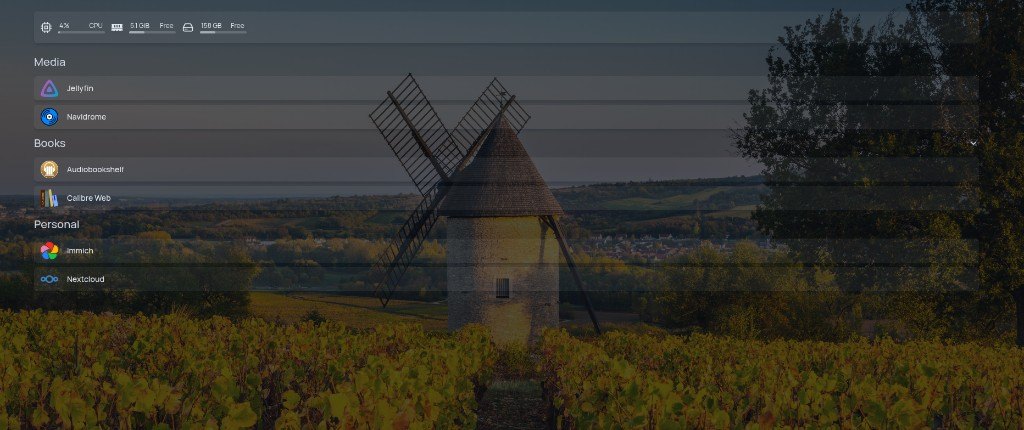
- Homepage — dashboard
Network and security model
Remote access is restricted to a private VPN rather than exposing the media services directly to the internet. The host uses a deny-by-default firewall model, and administrative access is limited to the private environment.
Services are reached over internal TLS through the reverse proxy. The goal is private service access with restricted administration — not a public media server.
Storage and backups
Media and application data sit on Linux software RAID1, which protects against a single disk failure. That is resilience for live disks — not a substitute for backups.
Nightly Restic backups go to LUKS-encrypted backup storage. Those snapshots support recovery from accidental deletion or other recoverable data-loss events within the retention window.
Media ingest and library workflow
The server includes a physical DVD/CD drive. I use tools such as MakeMKV, HandBrakeCLI, ffmpeg, abcde, cdparanoia and libdvdcss as part of disc workflows.
Operational discipline matters more than the tool list:
- media is staged before entering final libraries
- content is verified before promotion
- consistent library naming is used
- provenance is preserved for home-video material
- home-video preservation may include disc imaging
- music and video ingestion use separate workflows
Where AI fits — and where it doesn’t
AI sits around the platform as an operations assistant rather than being part of the media platform itself. I use AI tooling to help document the live environment, prepare and review administrative changes, maintain runbooks, troubleshoot issues and support backup, firewall and media-library operations. Privileged changes remain under my control, and live system evidence is treated as the source of truth.
AI helps with:
- documentation and runbooks
- troubleshooting and safe change planning
- naming conventions and media workflow guidance
- backup and firewall verification support
AI does not:
- stream media or replace Jellyfin / Immich / Tailscale / Caddy
- make unverified claims about the live system
- receive unrestricted privileged access
Immich’s built-in machine learning is product functionality from Immich — not something I developed, and not the same as using AI tools to administer the server.
Operating philosophy
Day-to-day work follows a simple pattern: goal → inspect → plan the smallest safe change → make the change → verify → update documentation.
I treat the environment carefully. Destructive actions are approached cautiously, significant file operations are checked before they run, and live-state verification is preferred over assumptions. Work is not considered complete until the result has been checked.