Why I built it
Managing the finances of a family quickly becomes complicated. Between personal and business bank accounts, savings, pensions, insurance policies and other financial accounts, there is a lot to keep track of over months and years.
I wanted one secure place where we could bring that information together and see, at a glance, how much money is available, how much we have in savings, which insurance policies we hold, and how those costs change over time.
I also wanted to reduce the amount of manual administration involved. An important part of the project is handling incoming correspondence: identifying what a document is for, filing it correctly, and eventually being able to translate and summarise letters accurately and highlight whether any action or response is required.
Because this contains sensitive household financial information, the app is self-hosted rather than sending our financial history to a third-party cloud service.
What it does today
Upload statements, parse bank-specific layouts, and check opening/closing balances and transaction totals before anything becomes ledger truth. Failures go to manual review.
From there: browse transactions with the original PDF as evidence, categorise spend with rules (manual corrections stay put), exclude transfers between our own accounts, associate income and costs with properties, keep tax certificates and bank letters off the ledger, and export CSV. Currencies stay separate.
It currently understands Yuh, UBS (including scanned pages via OCR), and Santander UK. Partner and Accountant roles keep access limited.
Where I used AI — and where I didn’t
I deliberately separate tasks that need deterministic accuracy from tasks that benefit from language understanding.
Bank statement layouts are predictable, so I use normal parsers in code for those. Scanned PDFs may need OCR with Tesseract, but that is still a deterministic extraction step. I do not use an LLM to invent balances or silently “fix” missing data: if reconciliation checks fail, the statement stays in review until I confirm what happened.
Postal correspondence is different. Letters, insurance documents and tax correspondence are unstructured and often written in German, so this is where an LLM is much more useful. The goal is for the app to read the extracted text, translate it when necessary, summarise what the document means, identify important dates or amounts, and tell me clearly whether a response or other action is expected.
AI also helped me design and iterate the application itself, but it does not get to rewrite the financial ledger. The principle is simple: use AI for interpretation, not for financial truth.
Features
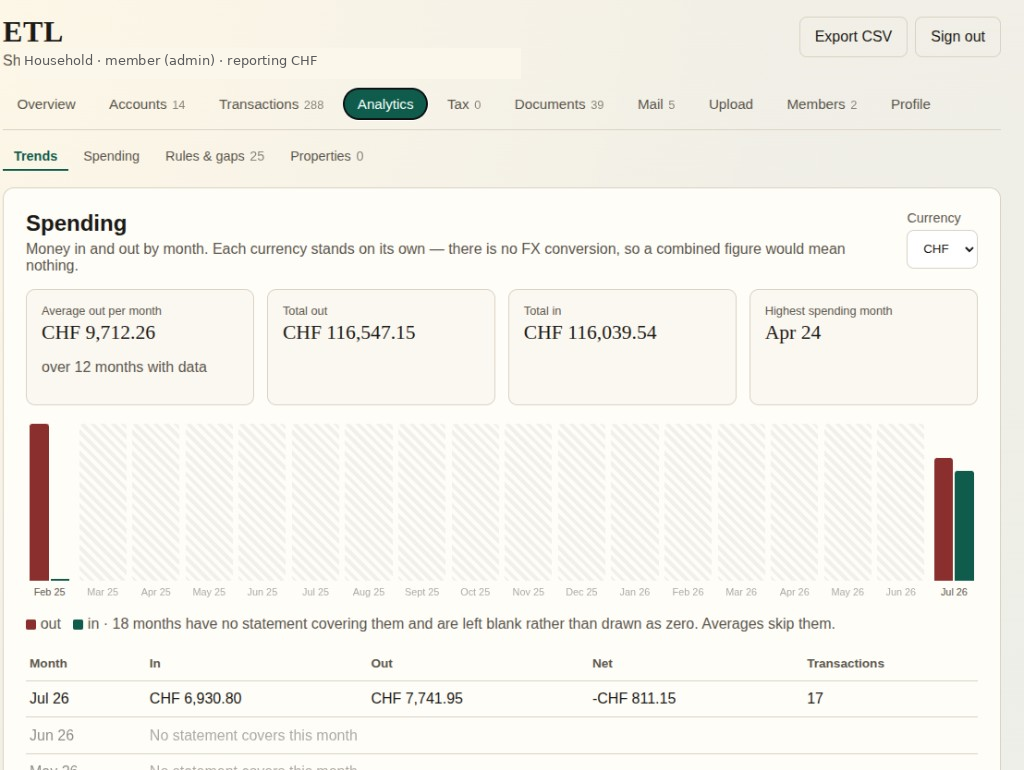
Spending analytics
Money in and out by month, per currency — never mixed into misleading totals. If a month has no statement, I leave it blank instead of drawing a fake zero, and averages skip the gap. Categories come from explicit rules; transfers between our own accounts stay out of spend analysis.
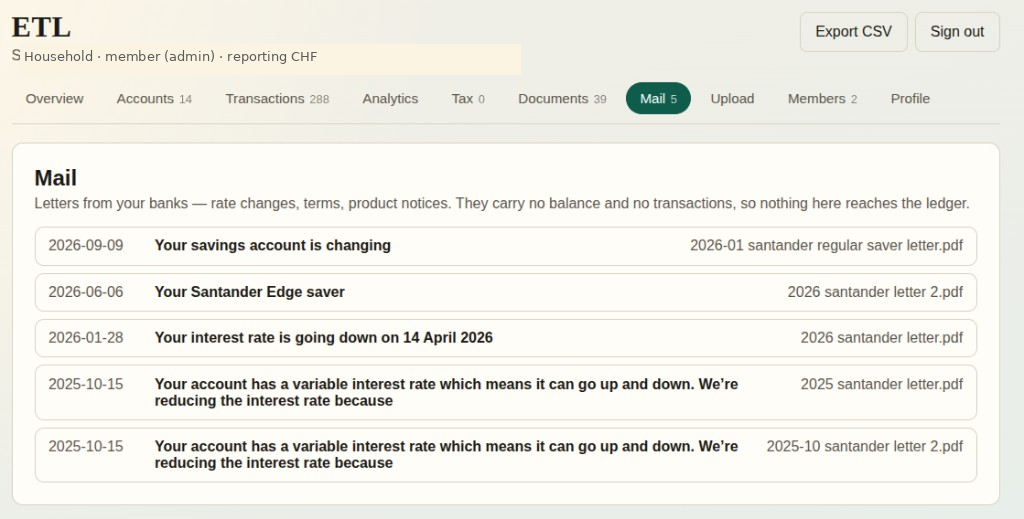
Letters vs statements
Incoming documents are classified by purpose. Bank letters and notices go to Mail as correspondence, not ledger facts. Tax certificates, interest summaries and similar files stay as evidence — readable and linked to the original PDF, never turned into transactions.
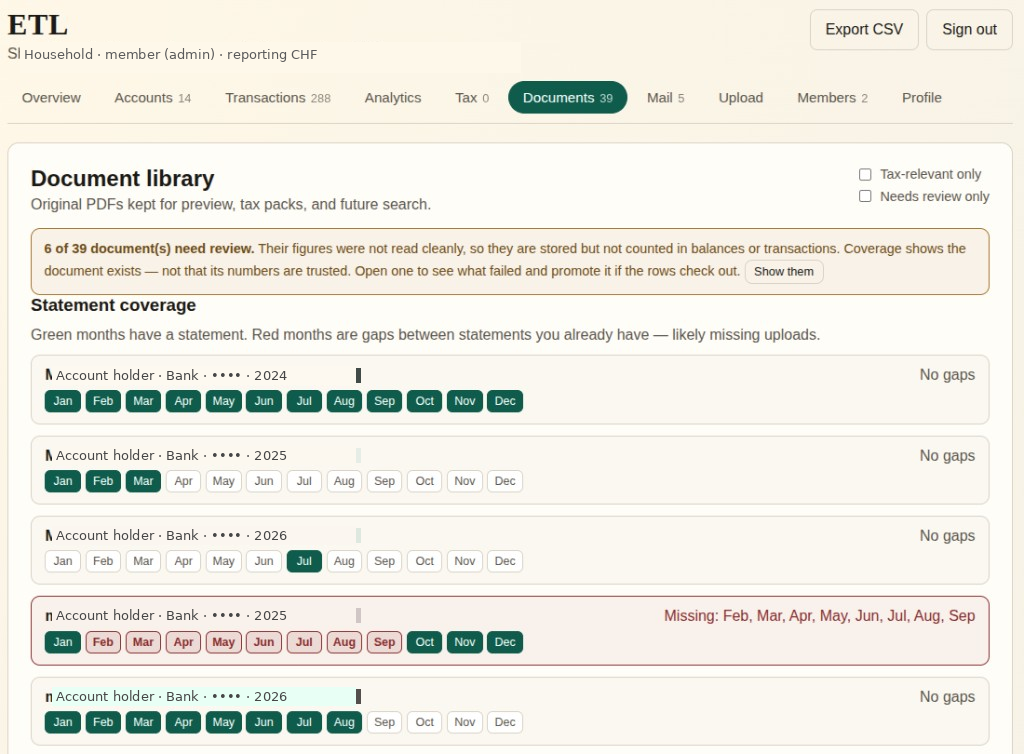
Missing statement coverage
The coverage grid shows which statement periods are present and which still need to be obtained from the bank. Green means I have a statement; red means there’s a gap. If OCR couldn’t read a file cleanly, I flag it for review — having the PDF is not the same as trusting the numbers.
Properties & tax claims
Where it’s relevant, income and expenditure can be associated with individual properties — without collapsing a mortgage, tax and fees into one vague “housing” bucket. Tax-deductible amounts are only what we’ve claimed, never inferred from a category label.
Where I want to take it
These ideas are planned or possible later work — not features that exist today.
Longer term, I’d like Household Finance to process more of our incoming household mail automatically — filing tax documents, ignoring irrelevant correspondence, extracting useful information, and eventually helping with actions such as appointments. Possible later helpers could include plain-English explanations, DE→EN translation, and spend investigation prompts.
Those would be advisory or administrative helpers. The ledger itself would still rely on deterministic parsing and validation, not an LLM inventing financial facts.
Architecture
-
Web UI
-
API
-
Document storage MinIO
-
Background processing Worker
-
OCR / parsers
-
Financial data
Financial validation / review -
Trusted financial data PostgreSQL
-
Correspondence
Correspondence interpretation LLM -
Summary / translation / action required
Original uploaded documents remain in MinIO as immutable source files. Structured financial data is only promoted to PostgreSQL after validation checks have passed or the result has been manually reviewed.
Typical financial-data flow:
upload → extract → parse → validate → review if needed → promote
trusted results
Unstructured correspondence follows a different path. After OCR, an LLM can be used to interpret the meaning of a letter, translate it when needed, summarise the important points, and identify whether a response or other action is expected.
The design principle is deliberate: deterministic checks protect the financial ledger, while AI is used where language understanding adds value.